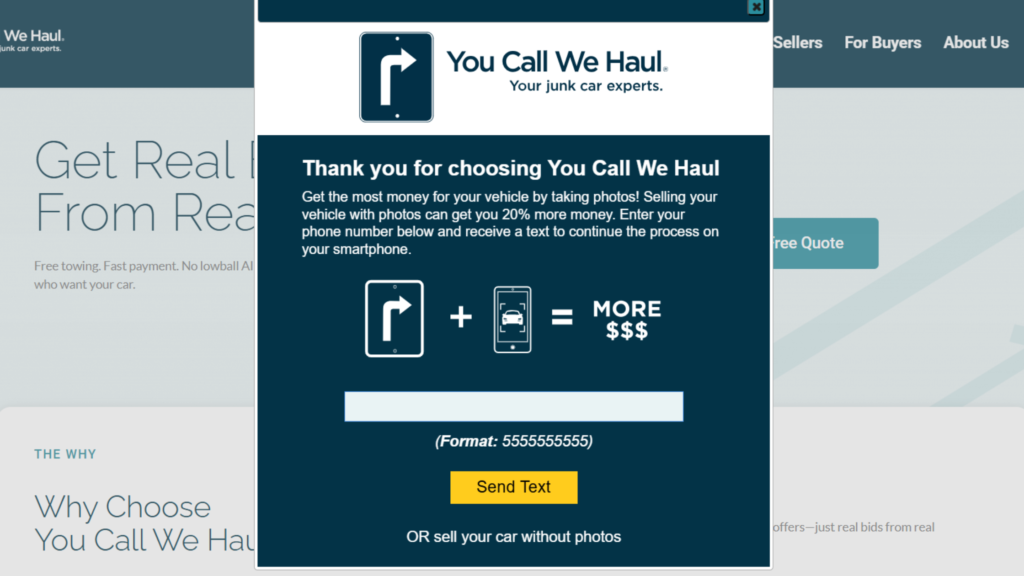
When you get started, you’ll see this pop-up form appear. If you want to upload pictures of your vehicle (which we highly recommend), enter your phone number and click “Send Text”.
Within a few seconds you’ll receive a text with a link to continue continue the process on your mobile device.
If you’re unable to use your mobile, you can click “sell your car without photos” just below the Send Text button and it will take you to the form.
I have photos, but they’re on my desktop
If you have pictures of your car, but you want to upload them from your computer, that’s no problem! You’ll continue with the “No Photos” form, and receive an email with a link to upload them once the form has been submitted.